
April 1st fades away, leaving behind the playful pranks of April Fools' Day. These harmless jokes might trick you for a moment, but then they disappear without a trace.
Sadly, scammers aren't bound by the calendar.
Spring marks a peak season for cyber attackers—not because employees are careless, but because everyone is juggling many tasks, often distracted and rushing. This creates the perfect storm for deceptive scams that slip past even vigilant teams, appearing innocent until the damage is done.
Here are three current scams targeting not naive victims, but sharp, diligent employees navigating their daily workload.
As you read these scenarios, ask yourself: Would my team consistently spot these threats before it's too late?
Scam #1: Fake Toll or Parking Fee Alerts
An employee receives a text stating:
"You owe $6.99 for an unpaid toll. Pay within 12 hours to avoid late fees."
The message references a legitimate toll system—E-ZPass, SunPass, FasTrak—matching the recipient's location. The small charge feels routine, so amid a busy schedule, the employee quickly clicks the link and pays without hesitation.
But the link is a trap.
In 2024 alone, the FBI documented more than 60,000 reports of fake toll text scams, with a 900% surge in 2025. Cybercriminals have created over 60,000 counterfeit domains impersonating toll agencies, demonstrating how lucrative this scheme has become. Alarmingly, some texts have targeted drivers in states without toll roads.
The trick is in the low-risk amount and familiarity—most people have recently encountered tolls or parking fees, making the message believable.
Defense tip: Authentic toll agencies never demand urgent payment via text messages. Implement a firm policy: No payments through text links. Employees should open official apps or websites directly to verify charges and never respond to suspicious texts, even to opt-out, as replies confirm their number is active, inviting further scams.
Ease entices, but strict procedure protects.
Scam #2: Phony "Your File Is Ready" Email
This scam seamlessly fits into everyday business operations.
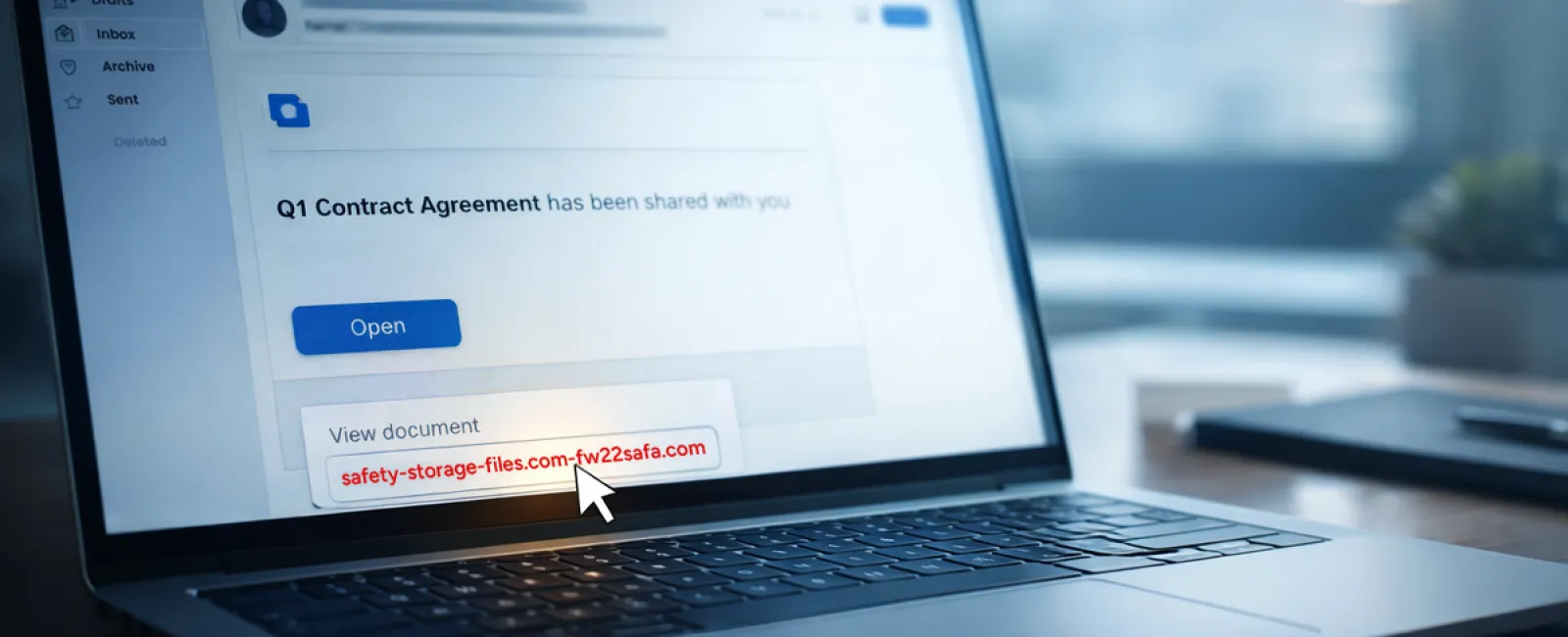
An employee gets an email indicating a shared file—often a DocuSign contract, a OneDrive spreadsheet, or a Google Drive document.
The sender looks credible, and the email format mirrors genuine file-sharing alerts.
Clicking the link prompts them to log in, where they unwittingly submit their work credentials.
Now the attacker gains access to the company's cloud systems.
Phishing campaigns exploiting trusted platforms like Google Drive, DocuSign, Microsoft, and Salesforce surged by 67% in 2025, according to KnowBe4's Threat Labs. Phishing links embedded in Google Slides alone shot up over 200% in just six months.
Worryingly, employees are seven times more likely to click on links from familiar platforms like OneDrive or SharePoint than from random emails, since these notifications appear authentic.
The most advanced attacks involve attackers commandeering legitimate accounts to share malicious files, sending notifications from Google or Microsoft servers themselves—bypassing spam filters because the emails are truly from these services.
Defense tip: If a file wasn't anticipated, employees are trained to avoid clicking direct links in emails. Instead, they log into the platform manually through their browser to confirm file availability. Risks also diminish by limiting external sharing permissions and activating alerts for suspicious logins—simple IT settings that take minutes to enable.
Routine caution yields strong protection.
Scam #3: Polished, Persuasive Emails
Gone are the days when phishing emails were easy to unmask by their poor grammar or strange layouts.
Modern scams blend flawlessly into professional communications.
A 2025 study revealed AI-crafted phishing emails achieved a staggering 54% click rate—over four times higher than human-generated attempts. These messages reference actual company names, job titles, and familiar workflows scraped from public sources.
They target departments with tailored scams: HR teams receive fake employee verification requests; finance teams face bogus vendor payment change alerts. For instance, one test showed 72% of employees responded to vendor impersonation emails—90% more than other phishing types. The emails appear calm, professional, and urgent without alarmism, fitting right into everyday inbox noise.
Defense tip: Verify any emails requesting credentials, payment updates, or confidential information through a secondary channel like a phone call, chat, or face-to-face check. Before clicking, employees should hover over sender addresses to confirm the genuine domain. Treat any sense of urgency as a caution that the message may be fraudulent.
True security fosters calm, not alarm.
The Bottom Line
These scams thrive on trust, authority, timing, and the pressure to act quickly.
The real vulnerability isn't careless employees but systems that expect everyone to slow down and make perfect decisions under pressure.
If one impulsive click can disrupt your operations, it's not a people problem—it's a process issue.
And process problems are fixable.
How We Support You
Many business owners don't want extra projects or to be the go-to for cyber awareness training.
They just want confidence their business isn't quietly vulnerable.
If you're worried about your team's exposure—or know someone else who should be—let's talk.
Book a straightforward discovery call to discuss:
- Current cyber risks businesses like yours face
- Common pitfalls hiding in everyday workflows
- Practical strategies to lower risk without slowing productivity
No pressure, no scare tactics—just clear ways to safeguard your business.
Click here or give us a call at 323-410-7785 to schedule your free 10-Minute Discovery Call.
If this doesn't apply to you, please forward it to someone who'd benefit. Sometimes, knowing what to watch for turns a "would have clicked" into a "nice try."


